See Picks
Updated October 2026

Best Notebook Cooling Pads of 2026 — Slim, Quiet, Travel-Ready

Work laptops don't need monster fans — they need slim pads that travel in a sleeve, stay quiet on calls, and keep a 13–17″ notebook comfortable through long sessions. These three do exactly that.

Top 3 notebook cooling pads

All slim, all quiet at working speed, all under $50.

Havit HV-F2056 slim notebook cooling pad — portable, quiet, under $35
🥇 BEST OVERALL FOR NOTEBOOKS

Havit HV-F2056

The slim default — best-selling pad for a reason

Three 110mm fans in a body thinner than most hardcover books. It fits 15.6″–17″ notebooks, tilts to a comfortable typing angle, and draws power through a USB pass-through so your ports stay usable. For work laptops, this is the answer to "just get a pad."

Pros
  • Very slim, sleeve-portable
  • USB pass-through
  • Quiet at working speed
Cons
  • All-plastic build
  • Not for gaming rigs
Fans: 3× 110mm · Fits: 15.6–17″ · Extras: tilt, USB pass-through
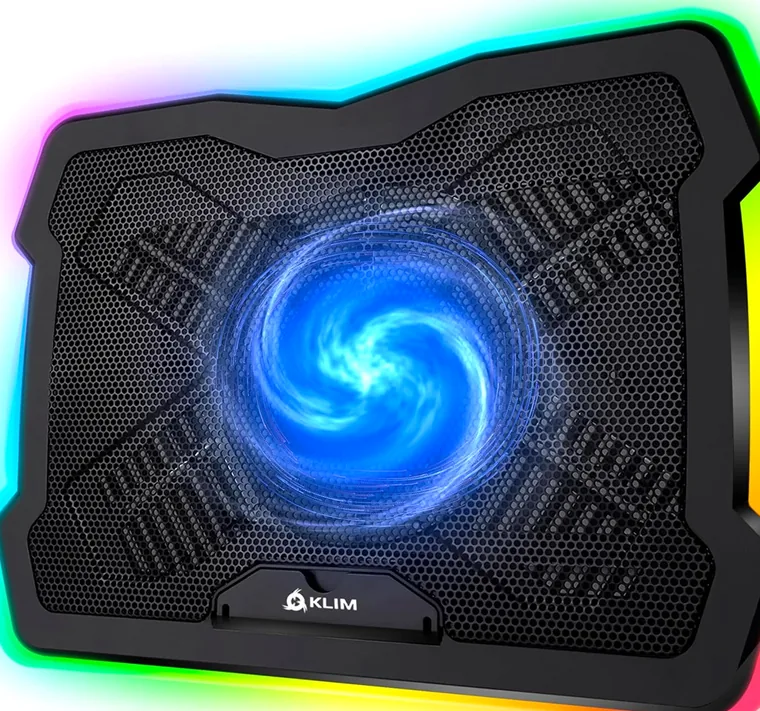
Klim Ultimate notebook cooling pad — near-silent on calls
🤫 QUIETEST FOR OFFICE

Klim Ultimate

Invisible on calls, invisible at night

One large fan at whisper RPM — on video calls nobody hears it, and the dimmable RGB edge can be switched off entirely. The most office-friendly pad on this page: see the full quiet-pads comparison →

Pros
  • Near-silent
  • Even large-fan airflow
Cons
  • Less headroom than multi-fan pads
Fans: 1× large · Fits: 11–17″ · Noise: very low
TopMate C11 notebook cooling pad with a work laptop — quiet at low speeds
🎚️ MOST VERSATILE

TopMate C11

Work quiet by day, game-capable by night

If your "notebook" is really a 16″ creator machine that renders at 2 pm and games at 8 pm, the C11 covers both: silent at low speeds, strong at high ones, with seven height settings and a phone stand in the bargain. It tops our main best laptop cooling pad ranking for a reason.

Pros
  • Wide speed range
  • RGB + phone stand
Cons
  • Heavier than slim pads
Fans: 1× 10.5″ + 4× small · Fits: 10–17″

Notebook Cooling Pad vs. Gaming Pad — What's Different?

Yes. A work notebook throttles far less, so cooling priority shifts: noise (you're on calls), portability (it moves between home and office), and a typing angle you can live with eight hours a day. Raw CFM — the gaming priority — matters last. If you do have a gaming machine, start here instead →

And if you're not sure a pad does anything at all: read the honest breakdown of what cooling pads can and can't do →

Notebook cooling pad — FAQ

Do I need a cooling pad for a work notebook?

Not always — if your machine stays under ~70°C under load, a simple stand is enough. A pad earns its place when you run heavy apps for hours or the chassis gets uncomfortable.

Is a "notebook cooling pad" different from a laptop cooling pad?

No — same product category, the words are used interchangeably. What matters is your laptop's size and heat load, not the label.

Will a cooling pad fit in my laptop bag?

Slim models like the Havit HV-F2056 (about 1 inch thick) slide into most laptop compartments. Multi-fan decks like the TopMate C11 are desk tools — plan to leave them at the desk.

↑